
Coordinator access is currently granted in the Manage Staff Access (MSA) application, and when a staff member changes schools, their new principal cannot revoke their access as access is determined by school sites.
Most coordinators have access granted in MSA or its predecessor, Access Management Utility (AMU). Access granted in this way can be removed by the PRC team in MSA. However, in some instances, access may have been granted against their SIM profile, which we cannot edit and a Service Now ticket will need to be lodged.
To remove coordinator access:
First check the coordinator's old school site in MSA: For this coordinator, we need to revoke access at Lavington Public School
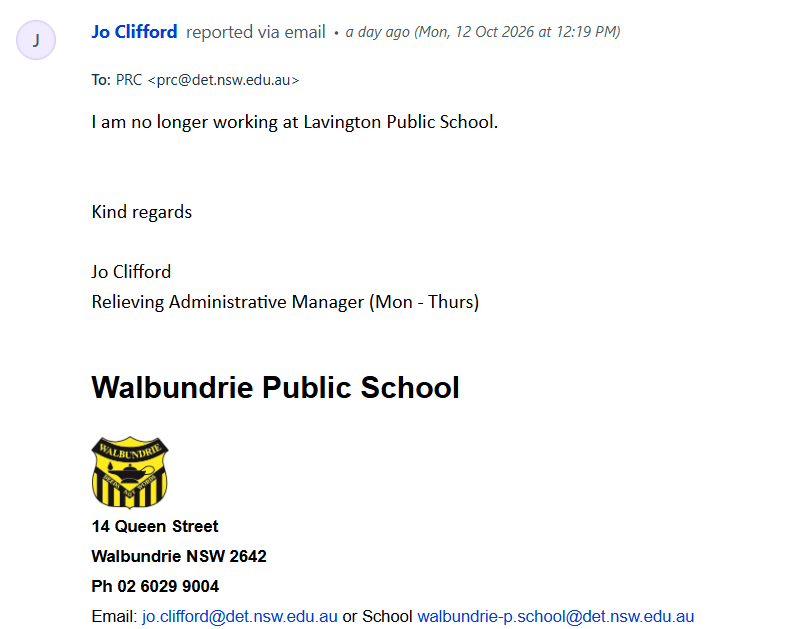
Search under Staff view and open the coordinator's profile if their name appears:
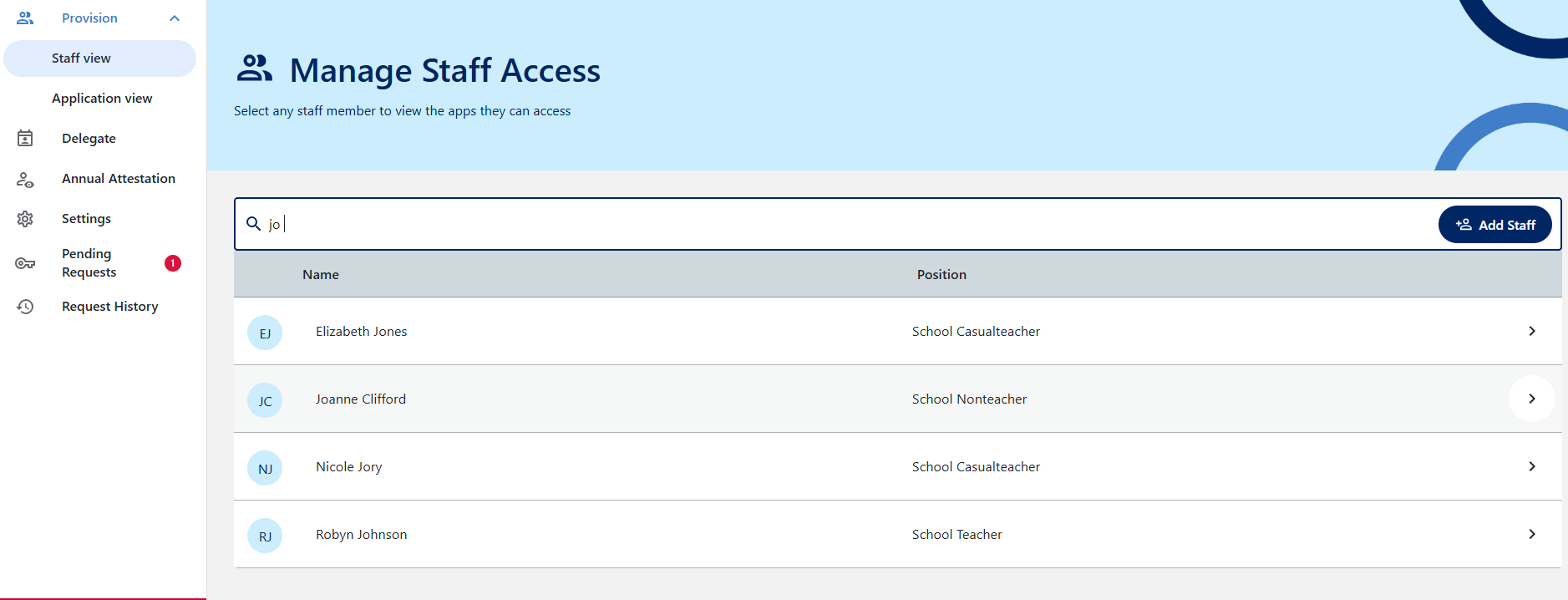
Clicking on their name will show you what apps they have access to at this location. If a staff member has access here, click on Full, then untick the PRC access - respond to the coordinator with canned response EOC - removed coordinator access in MSA. No further action is required.
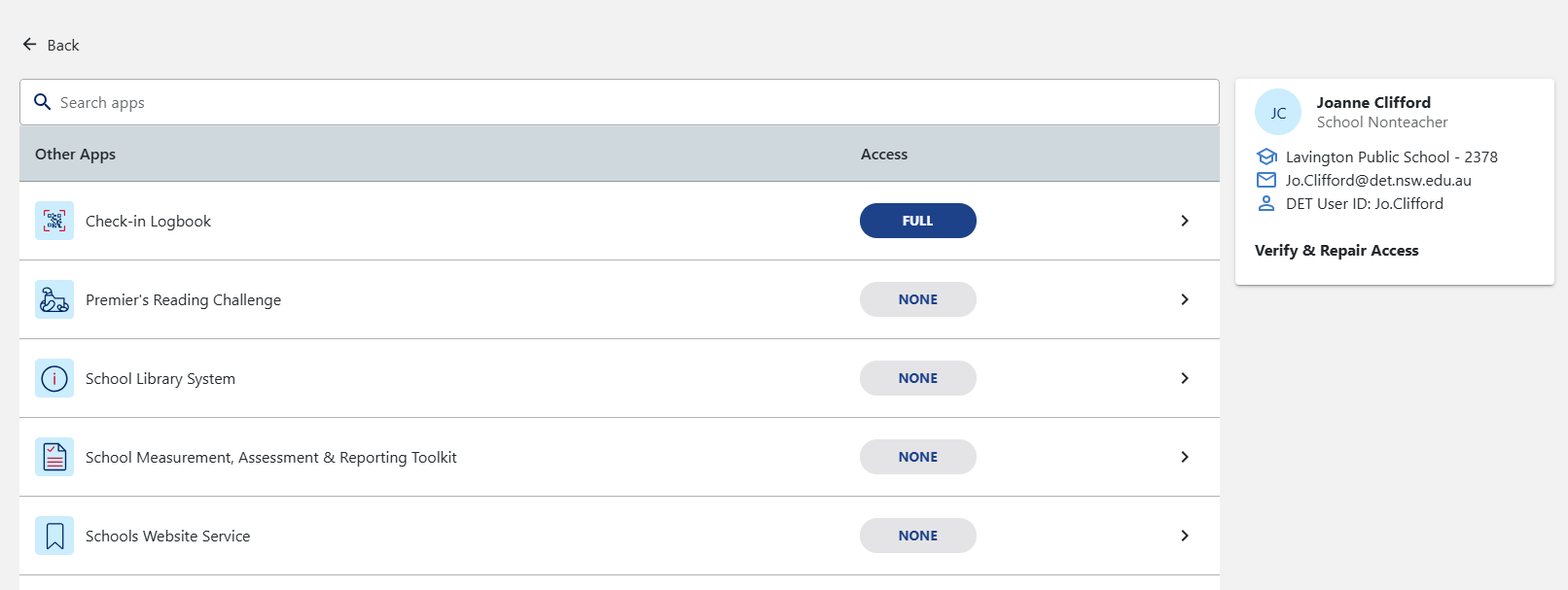
If the profile shows NO PRC access granted here, this indicates her SIM profile holds the coordator status, which we cannot adjust ourselves and will require a ServiceNow ticket.
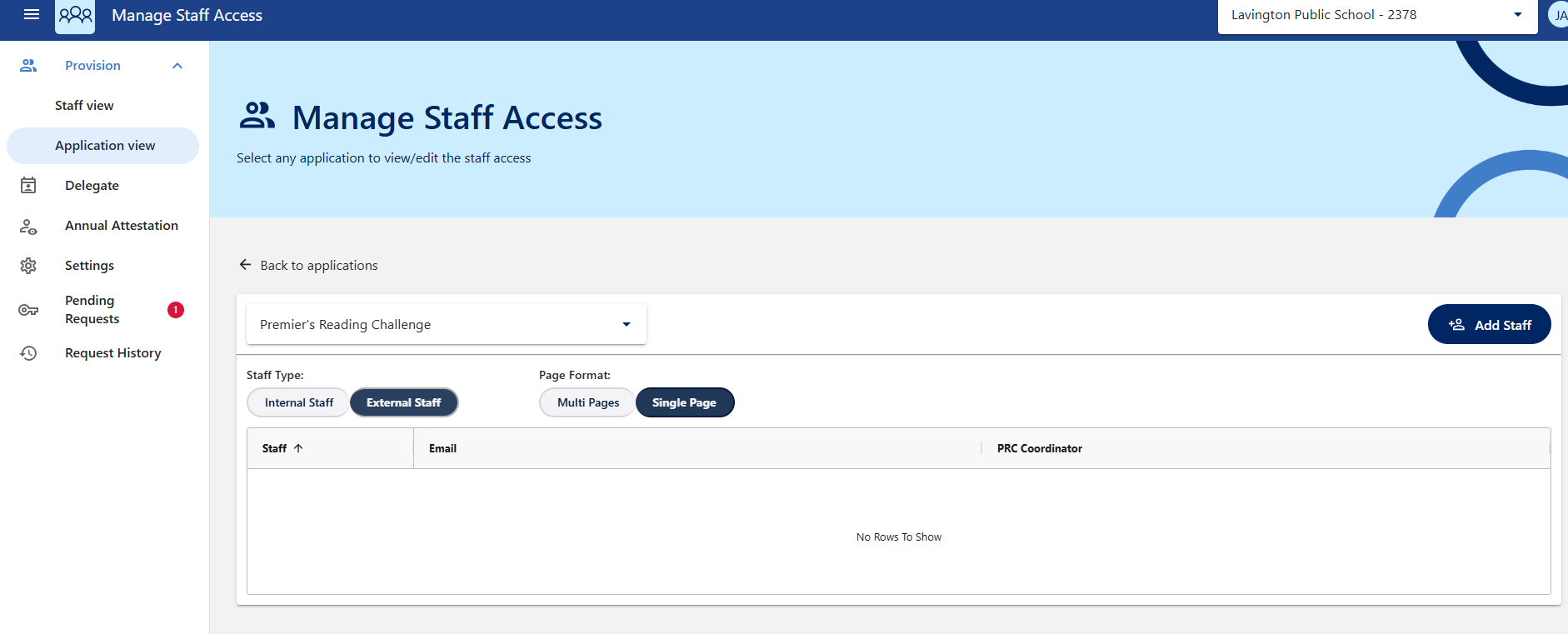
NOTE: make sure you also search for offsite staff access if the staff member doesn't appear in the first list (see next screenshot)
Switch to Application view and select the external staff filter. This is usually used for staff who work across multiple school sites/casual staff. As Jo is not appearing here, access needs to be revoked in her SIM profile via a ServiveNow ticket.
For requests during peak periods (e.g. end of challenge):
1. Record the staff member's DoE ID, NET ID, school name and school code in the notes field of the ticket. This can be found by searching for the old school name in the PRC website and scrolling to the bottom table:
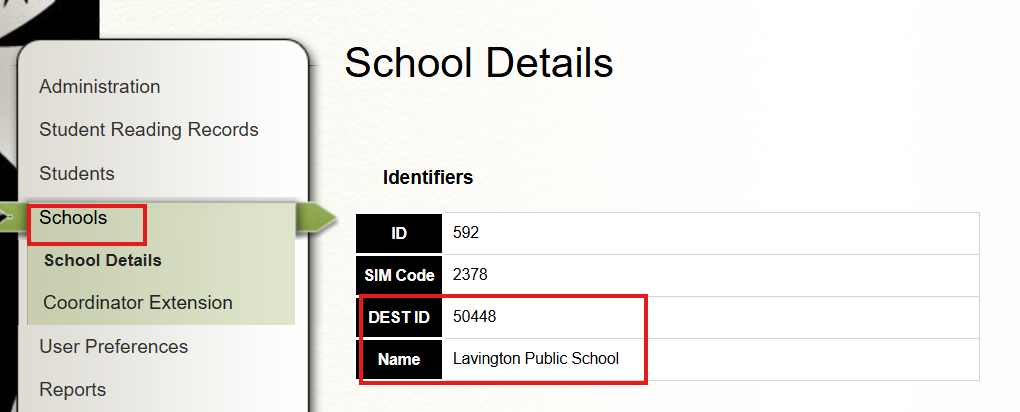
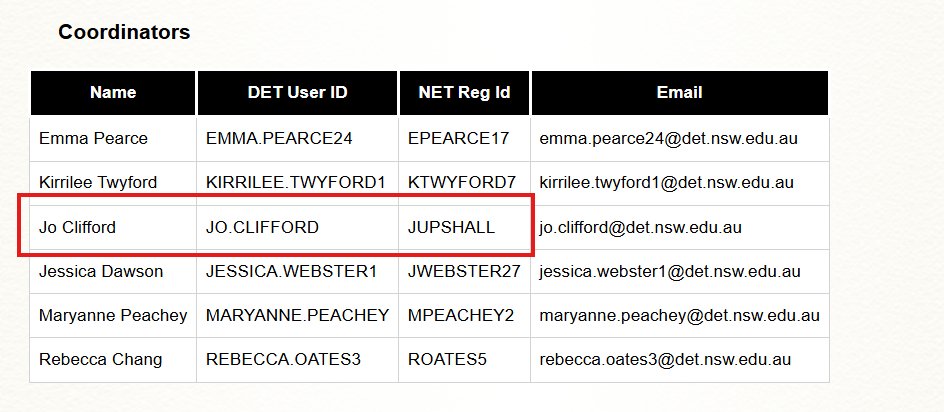
Once you have found this information, click on the Note field instead of Reply in Freshdesk to record this information:

2. Use the canned response EOC - Coordinator is no longer at school but not showing in MSA
3. Execute the Scenario automation to the ticket: 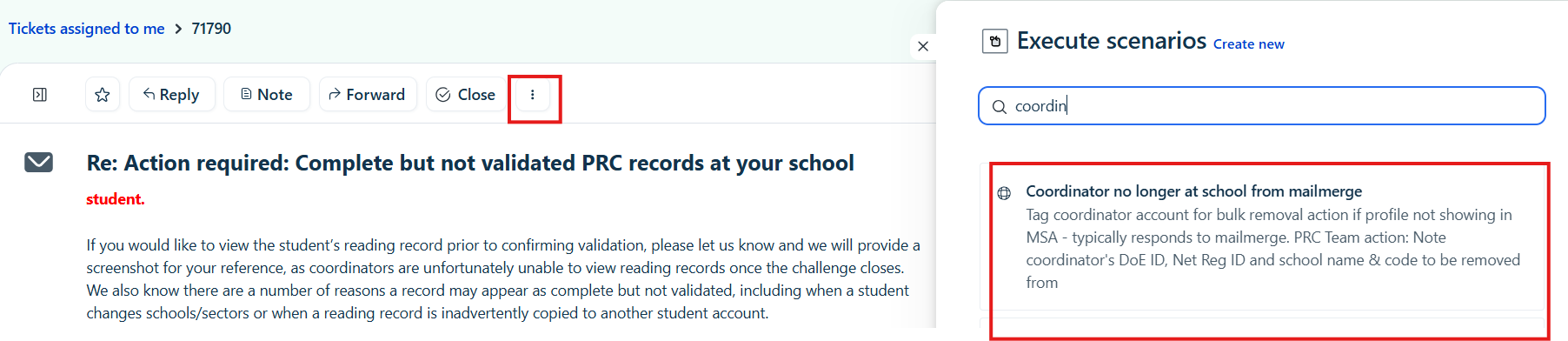
This will defer the ticket and mark it with the same tag and INC number. The Program officer will then submit a bulk ticket to the SAT2 team at the end of each week with all of this information.
For requests outside peak periods (i.e. when freshdesk has under 2 pages of open tickets):
Lodge a ticket in ServiceNow requesting access be removed. See ticket INC0359099 for previous example of this ticket type.