
Explanation of issue
When non-gov coordinators upload student accounts, the site will automatically search for student accounts with similar names and dates of birth to prevent duplicate accounts being created.
If a student's name and DOB is an EXACT MATCH, the PRC site will flag this and WILL NOT create a new account for the student (unless a glitch allows the upload through).
However, if the name is SIMILAR, the website will ask the coordinator to confirm if the student is the SAME as another identified student, or if they are a NEW student:
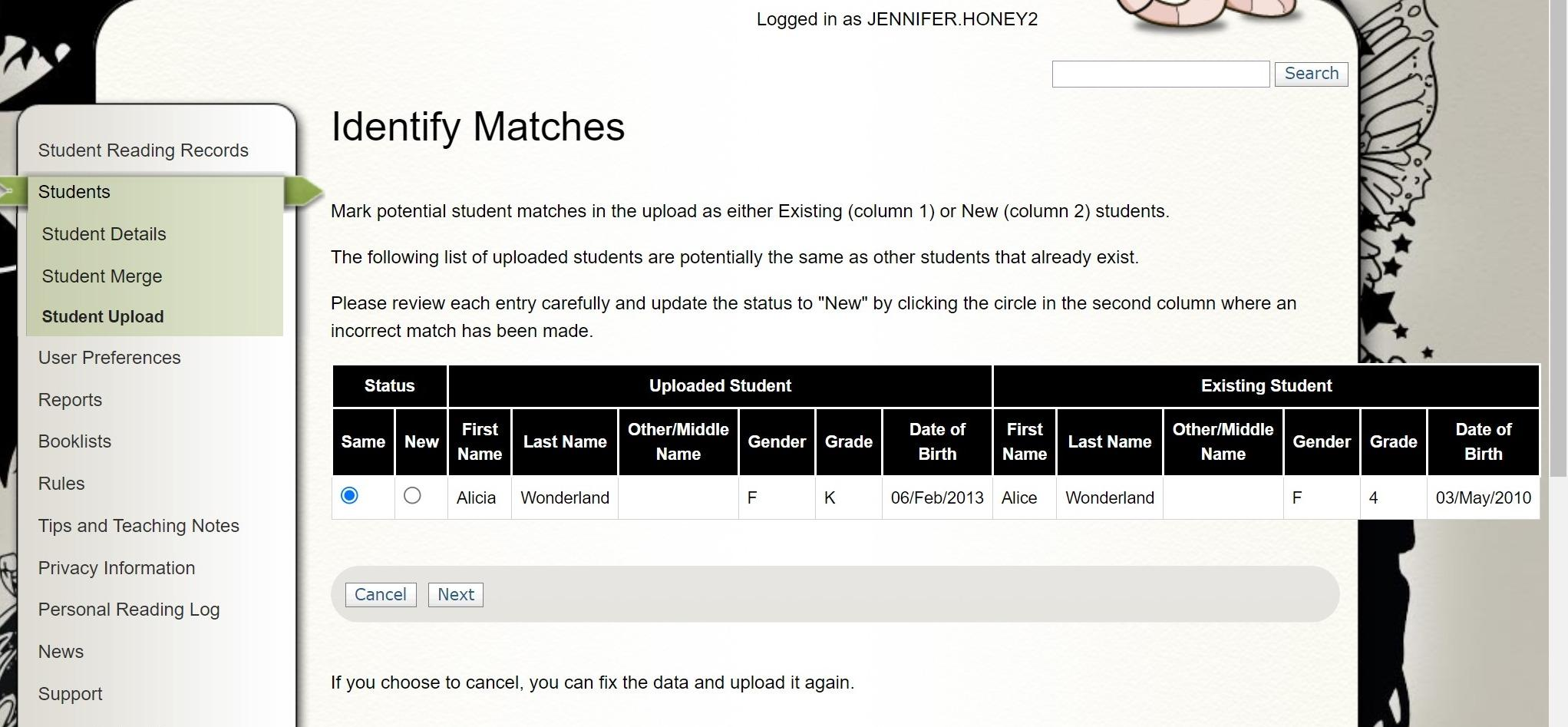
As the site defaults to "Same", it's easy for coordinators to accidentally "merge" account details together; when this happens, the website will assign the new student's name, date of birth, gender, and grade, but retain the DoE ID and password of the original student account.
This most commonly happens with Kindergarten or Year 7 students, but can impact any account.
Investigation/troubleshooting:
Under Students - Student Details:
Look for:
- Accounts with a longer challenge history than is possible for their grade (e.g. a Kindy student having challenge history for a previous year)
- Accounts where the name doesn't match the DoE ID

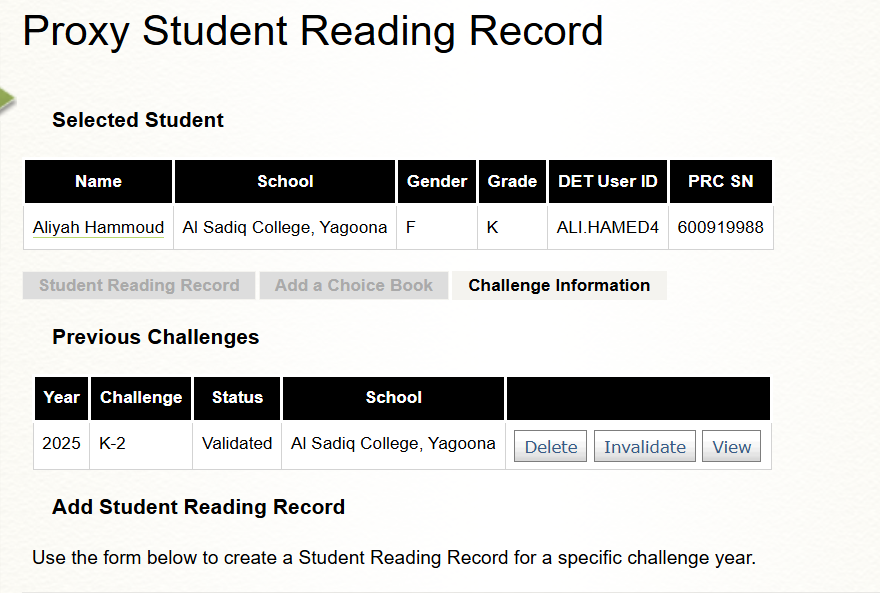
In this instance, the existing student is Ali Hamed - his account has been overridden by the details of the new student, Aliyah Hammoud
This is confirmed when looking at her challenge history in Student Reading Records:
Resolution:
- Outline what has happened to the coordinator using the explanation below
- Ask the coordinator to provide you with the Gender, Grade and DOB of the student name matching the DoE ID
- Once provided, go into Students - Student Details and update the Name, Gender, Grade and DOB of the student name matching the DoE ID
- Go into Student Reading Records for each student and adjust the challenge level if required (e.g. if a Year 4 student has been "merged" with a Kindy student account, you will need to set them back to the 3-4 challenge)
- Inform the coordinator that you have fixed the existing student/s account and ask them to upload their new student/s again, being sure to look out for the Identify Matches screen (use response below)
Initial response for Steps 1 and 2:
I've investigated the issue and identified that several new student accounts appear to have been accidentally merged with existing student accounts during the upload process.
This can occur when the Premier's Reading Challenge website detects students with similar names and asks whether they are the same student or a new student. As the system defaults to "Same Student", it is easy to accidentally select this option instead of "New Student" (see screenshot below)
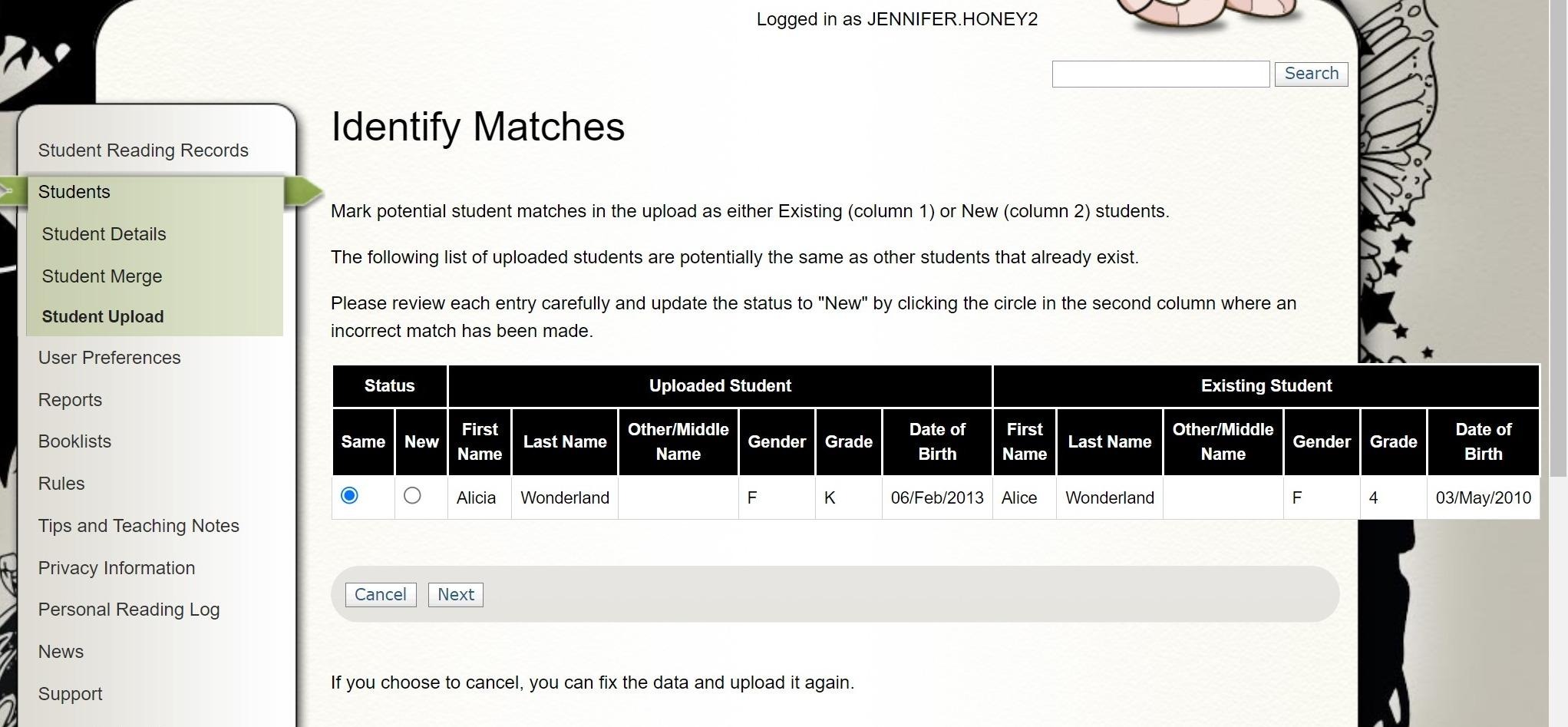
When this happens, the system updates the account with the new student's name, date of birth, gender and grade, but retains the original student's DoE ID, password and reading history. As a result, the new student appears to have inherited another student's account.
The following students appear to be affected:
• STUDENT A has overridden the account belonging to STUDENT B
• STUDENT C has overridden the account belonging to STUDENT D
• STUDENT E has overridden the account belonging to STUDENT F
[Add any additional notes about students who may require further investigation.]
To restore the original student accounts, could you please provide the following details for STUDENT B, STUDENT D and STUDENT F:
• Date of birth
• Gender
• Current grade
Once I receive these details, I will update the existing accounts and restore them to the correct students.
After I have resolved this, you will be able to re-upload your new student accounts
Response for Step 5:
The original student accounts have now been restored.
You can now re-upload the following students as new accounts:
• STUDENT A
• STUDENT C
• STUDENT E
When re-uploading these students, please carefully review the "Identify Matches" screen:
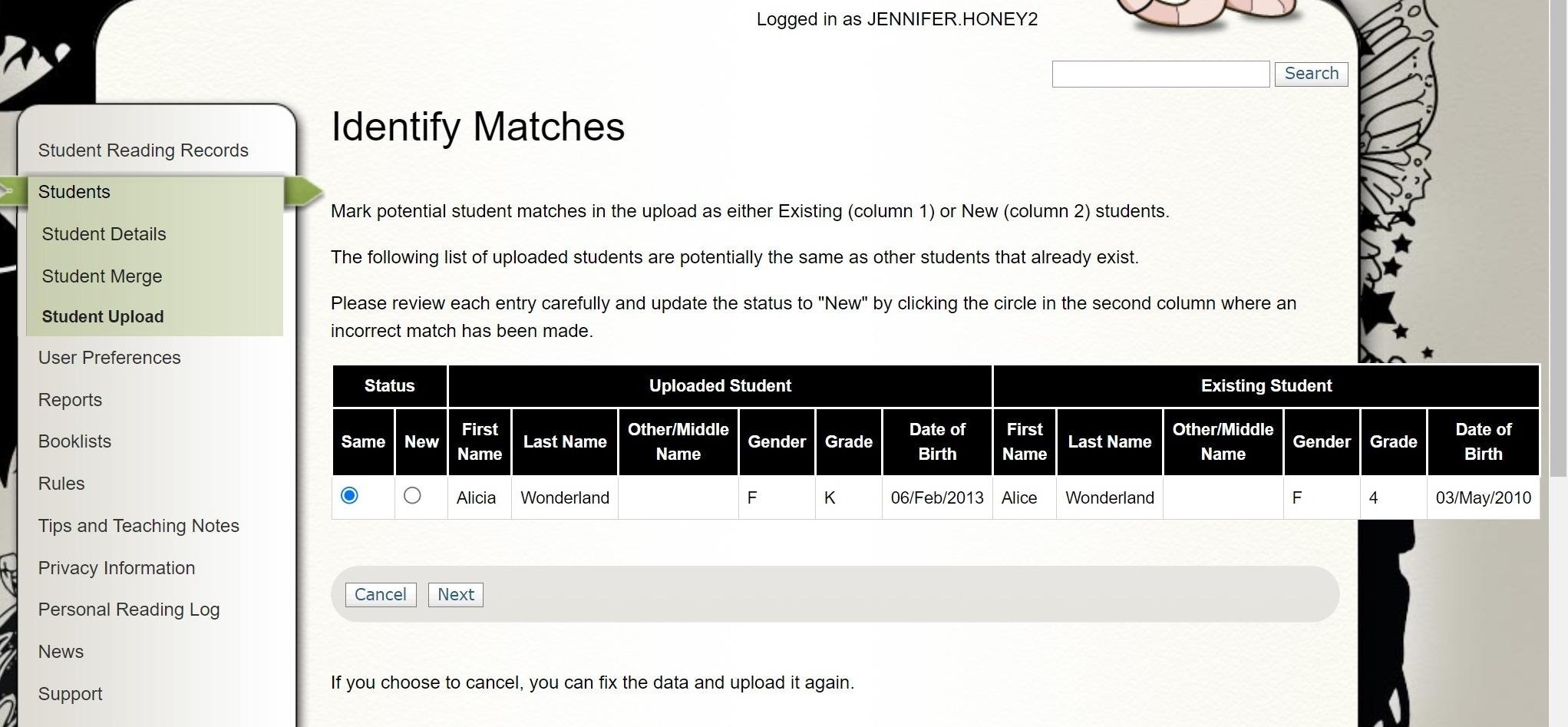
The system will likely pick these up as potential matches again, so ensure you select "New" instead of "Same" to ensure a separate account is created for the student.