
Categorising feedback tickets
- set the School Type information
- choose the correct Challenge Year
- excecute the Mark ticket as feedback scenario
- go to the Tickets tab
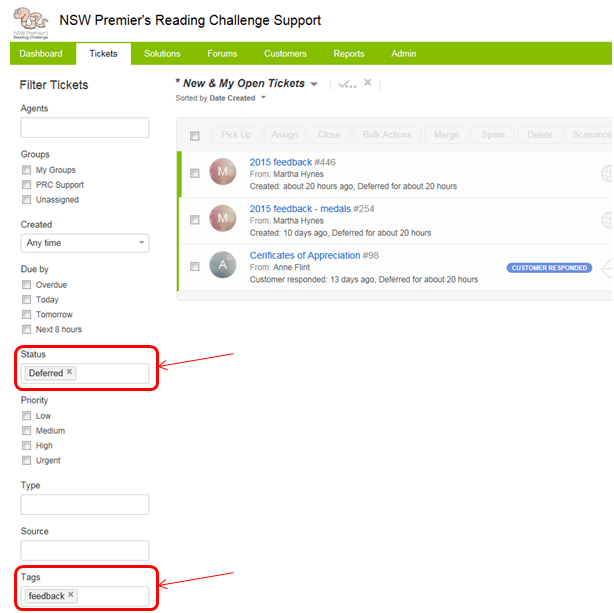
- filter the ticket view so that
- Status = Deferred
- Tags = feedback
- ensure that no other filters are in place - the list of tickets that are displayed will be all those that contain feedback that have not been reviewed
- to prevent the same feedback tickets being reviewed unnecessarily, once a feedback ticket has been reviewed, set it's Status to Resolved