
- Go into the Tickets tab
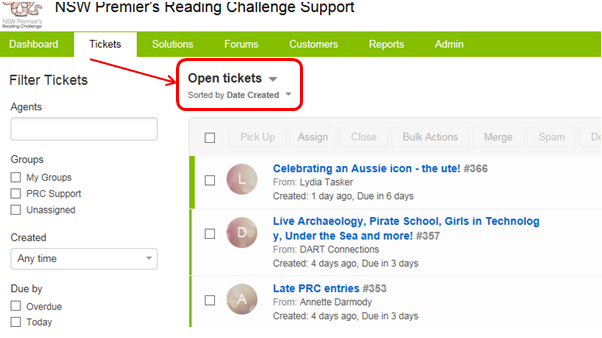
- click on the text above the table of tickets that describes what sort of tickets are currently being displayed
-
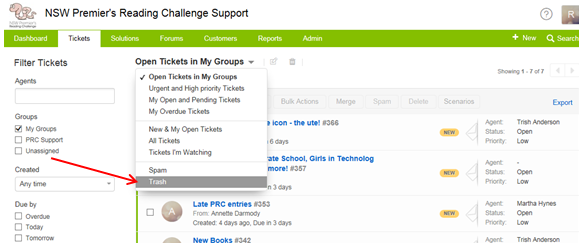
Click on the Trash option in the drop down list
All of the tickets that have been deleted will appear in this list. You are able to Restore or Delete Forever using the buttons at the top of the screen. These buttons will become active when you tick one or more checkboxes beside a ticket in the list.
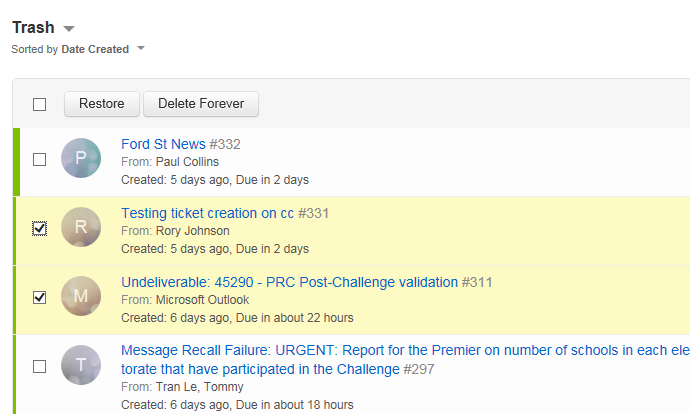
Delete all the items in the Trash at the end of each term.