
School information is stored in two places in Fresh Desk:
-
There is an entry for each school in Customers > Companies
- In the Ticket Fields there is a drop down list of all schools so that a school can be associated with a ticket
Both places should be updated.
The Customers > Companies school data allows you to search for a school name or school code in Freshdesk to easily find the corresponding school code or school name.
Contacts are deliberately NOT associated with a Company (school) because
- maintaining this data is difficult as staff move between schools
- staff are often located at more than one school and Freshdesk doesn't allow you to link a contact to more than one school
- the 'source of truth' for which school a staff member is associated with is SMU (or SIM when more than one school is involved)
Updating Customers > Companies
- Click on the Customers tab
- Click on the Companies tab
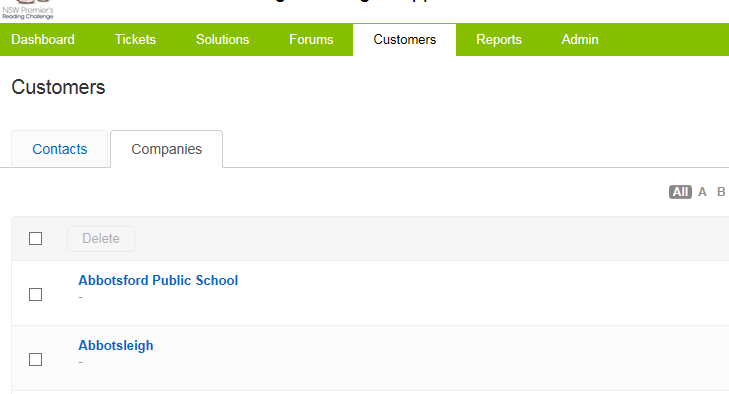
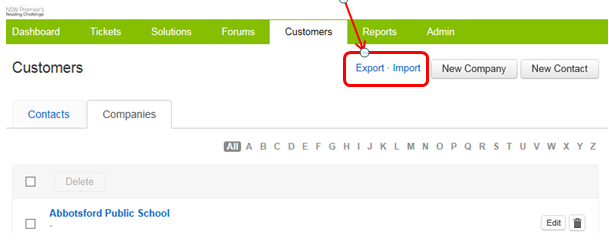
From here you can browse all the schools in Freshdesk. You can Export the data, or Import new schools using the buttons in the top right. You would do this when you have a large number of updates to make. If you Import school information where the name is the same as an existing name, the other details for this school will be updated based on the import data (a duplicate will not be created).
All schools should have
- Company name (school name)
- Type (Public, Non-government, Homeschool, Independent)
- School code
Public schools will also have
-
Level of Schooling
- Subtype
Non-government schools will also have
- Affiliation (Non-government schools)
Use the New Company button to add a new school.