
You need to login and be designated as an 'agent' to be able to view the tickets in Freshdesk.
Freshdesk provides two main screens for navigating the tickets in the helpdesk. The Dashboard and Tickets tabs highlighted below.
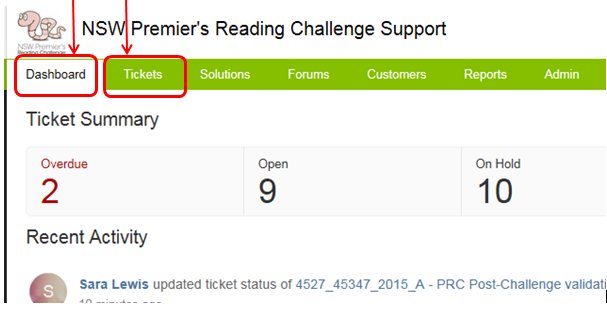
See Checking recent helpdesk activity for information on the Dashboard.
See Filtering tickets using views for information on how to find tickets that you are interested in using the Tickets tab.
See Merging two or more tickets together for information on how to merge tickets that are actually the same issue.
There is further documentation about
- replying to a ticket
- canned responses
- using notes
- using To Do lists
listed within the Freshdesk Agent Guide.