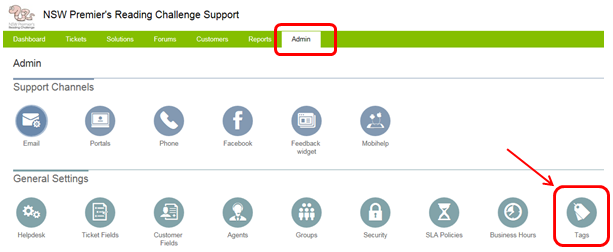
Within the Admin tab, click on the Tags icon under General Settings.
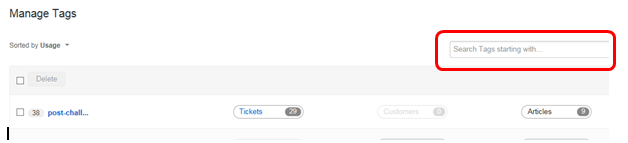
This will display a list of all tags. You are able to sort them based on Usage or Name. The tags are split across multiple pages as there are a large number of them.
You can
-
Delete tags by using the tick box beside them and the Delete button at the top of the table.
- Merge tags by editing the name of one tag and making it the same as a the name of an already existing tag (when you hover over a tag name an edit icon will appear, click this to edit the tag name)
- See all Tickets/Customers associated with a tag by clicking on the 'Tickets' or 'Customer' icon to the right of the tag name

See the number of Articles associated with a tag (you can not click on this to display them though)
-
Search for a tag using the search box in the top right